How to Handle CCTV Footage Preserved for an Incident Without Keeping Everything
When an incident happens in a residential or mixed-use building, the first instinct may be to save every camera recording that could possibly be relevant. That can feel cautious, but keeping broad footage indefinitely creates its own risks: more personal data is retained, more people may be exposed to it, and it becomes harder to show that the building has a controlled process.
A better approach is to preserve only the relevant clip, document the hold reason and set a review date. That means protecting the evidence needed to understand an incident while allowing unrelated footage to be deleted through the usual routine.
This article sets out a practical process for property managers, onsite teams and building decision-makers. It is general operational guidance, not legal advice. If an incident involves a serious injury, criminal investigation, formal dispute or legal claim, check the applicable requirements with your organisation’s privacy lead or legal adviser.
Start with the security question
Before exporting or placing footage on hold, ask: What security question does this camera answer? For example, was a door forced, which route did a delivery trolley take, or when did a vehicle enter the garage? A clear question helps identify the relevant camera, time window and portion of footage. It also helps avoid searching or retaining recordings simply because they are available.
Keep the incident purpose specific. “Save the lobby recording just in case” is not a useful reason. “Preserve the lobby camera view of the north entrance from 14:10 to 14:25 to confirm the reported time and route of the fall” is much more actionable.
Preservation is not the same as general retention
Most building CCTV systems operate on a routine retention cycle: recordings are overwritten or deleted after a defined period. An incident hold is an exception to that normal cycle. It should be limited to the material that is reasonably relevant to a stated purpose, and it should not quietly turn into permanent storage.
Think of an incident hold as a controlled, reviewable record—not a reason to keep a whole day of footage from every camera. The default should remain routine deletion. The hold should be narrow, authorised and time-limited, with a review date recorded at the point it is created.
Use a simple, repeatable preservation process
- Record the report. Note when the incident was reported, who received it, the location, the type of event and any known time range. Avoid adding speculation or unnecessary personal details.
- Identify relevant cameras. Select only cameras with a reasonable connection to the incident. Check whether the event may be better evidenced by a door access log, lift call record or witness account instead of additional CCTV.
- Set a narrow time window. Start with the reported time and allow a proportionate buffer for uncertainty, such as arrival and departure. If the time is unclear, document why a wider window is needed and review it once more information is available.
- Export the relevant clip. Preserve the original format where possible, along with any player or export notes needed to view it. Do not alter the evidential original. If a redacted viewing copy is required, create and label a separate copy.
- Document the hold reason. Record the purpose, cameras, date and time range, export date, person who completed the export, storage location, authorised access and review date.
- Restrict access and check the result. Confirm that the clip opens, covers the right period and is stored in the approved location. Tell only people who need access for the stated purpose.
- Review and close the hold. At the review date, decide whether the reason still applies. If it does not, arrange secure deletion and record that action. If it does, record the basis for continuing the hold and set another review date.
Choose the footage, not the whole system
Relevant footage is usually defined by three things: the camera view, the incident period and the purpose of the review. A narrow clip may be enough to establish what happened. If the incident spans multiple locations, preserve the minimum necessary portion from each relevant view rather than exporting every camera in the building.
Decision Practical check What to record Camera selection Does this view help answer a specific incident question? Camera name, location and reason for inclusion Time window Can the period be narrowed using the report or other records? Start and end time, plus reason for any buffer Export Is the original usable and clearly identified? Export date, operator and file or case reference Access Who needs to open the clip, and for what purpose? Approved users and any access or disclosure Review Is the hold still necessary? Review date, decision and deletion date if closedIf a clip contains unrelated activity, that does not automatically mean the entire recording must be kept. Consider whether a shorter segment, a still image, a written incident note or a redacted viewing copy can meet the need. Keep the unaltered original only where it remains necessary and properly controlled.
Set camera placement and field of view deliberately
Data minimisation starts before an incident. Camera placement and field of view influence how much personal information the building collects every day. Each camera should have a defined security purpose and a view designed to meet it—not a broad sweep installed “just in case”.
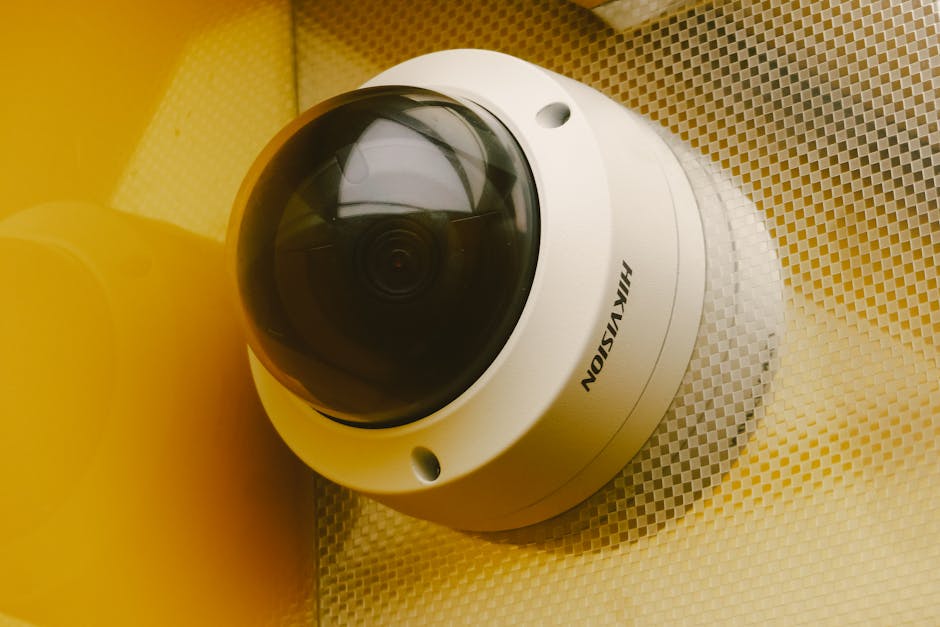
Review cameras when spaces change, new equipment is installed or concerns are raised. Check whether the camera captures areas outside the intended security zone, such as neighbouring property, private balconies, changing areas or places where people reasonably expect greater privacy. Use physical positioning, privacy masking or adjusted angles where available, and test the result on the recorded image rather than relying only on the live monitor.
Keep a camera register that identifies each camera, its purpose, approximate field of view, responsible owner and last review date. When someone proposes a new camera or a wider view, ask what risk it addresses, whether a less intrusive measure would work and who has authority to approve the change.
Make ownership and governance clear
CCTV decisions should not be left to whoever happens to have the system password. The building’s governing body, management organisation or other designated controller should establish the policy and approve the purpose, access arrangements and retention approach. Onsite staff may carry out an export under that policy, but should not make informal decisions to retain or share elevator camera privacy policy footage without authority.
Write down who is responsible for:
- approving camera purposes, locations and changes to the field of view;
- authorising incident holds and deciding whether they should continue;
- exporting clips and maintaining the access or disclosure log;
- handling requests from residents, insurers, law enforcement or legal representatives;
- checking routine deletion and secure disposal; and
- reviewing the policy and training staff and contractors.
Where an external security company hosts or operates the system, clarify responsibilities in writing. Contract terms and working procedures should address who can access recordings, how exports are handled, how long they are kept and how deletion is confirmed. A supplier’s storage capability is not, by itself, a reason for the building to retain footage longer.
Know where exported clips go—and who can open them
Exporting a clip creates a second copy, often outside the CCTV system’s normal retention controls. Before an export, decide exactly where it will be stored and who can open it. Use an approved, access-controlled location linked to the incident record. Avoid raw clips being emailed around or placed in shared folders with no deletion date.
Do not use personal email, personal devices or general-purpose shared drives unless the organisation has explicitly approved them for this purpose and applied suitable controls. If a clip must be transferred to an authorised recipient, use an approved secure method, verify the recipient and record what was sent, when, by whom and why.
Limit access to named roles or individuals who need the footage for the incident. Review permissions when staff change roles or leave. If the system records access activity, retain and check those logs according to policy. Casual viewing—out of curiosity, for convenience or to show someone what happened—is not a valid operational purpose.
Use a redaction checklist before sharing
When disclosure is authorised, check more than faces and number plates. Depending on the scene and the purpose, review the clip for:
- children or people who may be especially vulnerable;
- residents, visitors or staff unrelated to the incident;
- door-entry keypads, access codes, keys or security procedures;
- computer screens, paperwork, parcel labels or displayed contact details;
- private areas or views beyond the building’s property; and
- audio, if the system records sound, including conversations unrelated to the incident.
Redaction should not compromise the evidential original. Keep the original securely, create a separate redacted copy for an approved disclosure where appropriate, and label both versions clearly. Follow the organisation’s disclosure process and any applicable legal requirements before releasing footage.
Set retention periods and routine deletion
A written retention schedule should explain how long ordinary recordings are kept, how they are deleted or overwritten and what happens when an incident hold is applied. Choose a routine period that reflects the building’s documented needs and applicable requirements; do not adopt a longer period simply because the storage system allows it. Review the schedule periodically and after material changes in risk, camera coverage or system design.
For every held clip, set a review date at the outset. That date is cctv retention period for apartments a prompt to reassess necessity, not an automatic extension. If the incident has been resolved and no continuing purpose applies, delete the exported copy and document the action. If footage must remain available for a live investigation, claim or other authorised reason, record that basis, limit access and set a new review date.
Routine deletion should include copies created during export, working copies and any approved transfer locations—not just the main CCTV recorder. Confirm how backups and supplier systems handle deletion, and record any limitations or scheduled removal process. A clip is not truly under control if nobody knows how many copies exist.
Keep a short hold and disclosure log
A consistent log makes decisions easier to explain later. It does not need to become a second incident investigation file, but it should make the handling of the footage traceable.
Log item Example of a useful entry Incident reference and hold reason “Building incident 24-017; establish timing and route following reported garage collision.” Scope Camera G2, 18:05–18:20; 10-minute buffer justified by uncertain report time. Storage and access Approved restricted case folder; access limited to the property manager and authorised reviewer. Review and outcome Review due 15 November; hold closed, clip deleted on 16 November, deletion recorded. Disclosure Recipient, date, purpose, authorisation and transfer method—or “none”.These examples are illustrative, not prescribed retention periods or legal standards. There are no prices listed in this guide because it does not recommend a particular product or paid service; the operational point is to govern footage consistently, whatever system the building uses.
Common mistakes to avoid
- Saving every camera “just in case”. Define the incident question and preserve only relevant views and times.
- Leaving the hold open indefinitely. Document the hold reason and set review date when the clip is first preserved.
- Assuming a system’s default retention is a policy. Make the retention period a considered, recorded decision.
- Emailing raw clips or using an unrestricted shared folder. Know where exported clips end up and who can open them.
- Sharing footage informally. Use an authorised process, check redactions and record every disclosure.
- Forgetting secondary copies. Include exports and working copies in the deletion process.
A practical close-out question
At the end of each review, ask: What purpose still requires this clip, who is authorised to access it, and when will we check again? If there is no clear answer, the hold may no longer be justified. A narrow, documented and reviewed preservation process protects useful evidence without turning one incident into a reason to keep everything.

Share this article
- Share on Facebook
- Share on X (Twitter)